
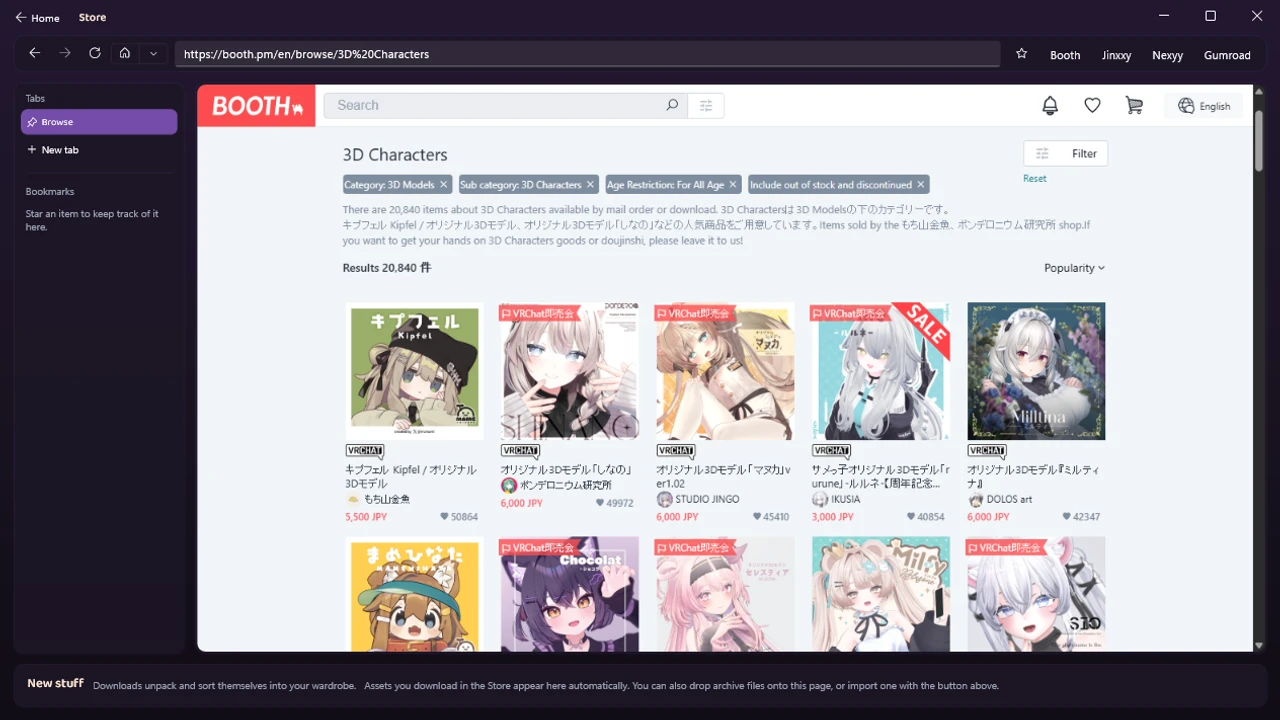
Ask where the good VRChat avatars come from and the answer is nearly always the same site: Booth. It is where the creator side of avatar culture actually lives, it is Japanese, and for an English speaker the first visit raises questions no store page answers. Which listings are wearable avatars and which are not? Can I even pay from overseas? What do all these license terms mean? What is actually in the zip?
This is the guide to buying VRChat avatars on Booth that we wished existed: the whole path from “heard about Booth” to “owns the right files, legally and confidently.” Everything about payments and downloads below was checked against Booth’s own help pages as of August 2026, because this is exactly the kind of guide that rots quietly.
What Booth is, and why the avatars live there
Booth is the marketplace run by pixiv, Japan’s biggest illustration community, where individual creators sell directly to you: digital goods, doujin works, and, in one of its liveliest corners, 3D avatars and the clothes for them. There are over twenty thousand items in its 3D characters category alone.
That creator-to-buyer directness is the whole appeal. The avatars are original characters made by small creators who also ship updates, extra outfits, and support. Buying properly is how this scene keeps existing, and it is why this guide will keep pointing at licenses and official purchases: the creators are the heroes here, and the ecosystem runs on people paying them.
VRChat also has its own official in-game marketplace nowadays, and it is a fine place to browse. The catalogs are simply different: Booth is where the massive creator scene, its bases, and its entire outfit ecosystem live, and buying there hands you the actual files, which is what makes real customization possible in the first place.
Base vs outfit: the one mistake to avoid
The single most expensive misunderstanding on Booth, so it goes first.
- A base (素体, avatar body) is a complete, wearable avatar: body, face, hair, usually a default outfit. This is the thing you can actually become in VRChat.
- An outfit (対応衣装, “compatible clothing”) is clothes made to fit one or more specific named bases. It is not wearable on its own, and it will not fit a base it was not made for, because clothes are shaped for a specific body.
Every outfit listing names its supported bases, usually in a clearly formatted list (“対応アバター” or similar). Read it before you pay. If your base is not on it, that listing is not for you today, no matter how good the preview art looks. The reverse habit is just as valuable: when picking your first base, check how many outfits exist for it, because a well-supported base turns every future browse into a shopping spree, and a niche one turns it into window shopping.
Buying an outfit for a base you plan to buy later works fine, by the way. The files do not care about purchase order. Just make sure it is the exact base, not a similar-looking one.
What to check before you buy: the five-point checklist
Habits that separate happy purchases from support tickets:
- The look, in motion if possible. Preview images are the creator’s best angle. Many avatars have try-on worlds in VRChat linked from the listing, and trying the avatar where you will actually wear it beats any thumbnail.
- The supported-avatars list (for outfits) or the outfit ecosystem (for bases), as above.
- What is in the download. Good listings enumerate contents: the Unity package, textures, and ideally a layered PSD file. The PSD matters if you ever want deep texture recoloring rather than shader-level color changes. Not required, nice to have.
- The license terms, which get their own section below.
- Signs of life. A recent update date, a linked update history, active replies. Avatars get patched for new VRChat SDK versions, and a maintained base ages far better than an abandoned one.
Searching Booth like a local
Booth’s search rewards a few tricks that English speakers rarely get told:
- Search your base’s name to find its outfits. Creators put supported base names in titles and tags, so searching “Manuka” or “Shinano” (or the katakana version, which the listing itself will show you) surfaces that base’s outfit ecosystem in one query. This one habit turns Booth from overwhelming into a personal catalog.
- Learn three words. 素体 (base body), 対応 (compatible with), 衣装 (outfit). Even pasted into search alongside a base name, they sharpen results dramatically.
- Use the filters. Category (3D Characters, 3D Clothing), price range, and the age-restriction filter all work in the English interface. Hearts on a listing are a decent popularity signal while you calibrate.
- Follow shops and keep like-lists. Following a creator surfaces their new releases and sales, and Booth’s like-list feature doubles as a wishlist you can come back to on payday.
- Use Boothplorer for discovery. It is a community-built directory over Booth’s avatar listings with the filters Booth itself lacks: price caps, currency conversion, and, best of all, filtering bases by how many supported items exist for them, which is this guide’s well-supported-base advice turned into a button. Browse there, then buy on Booth itself.
Making an account and buying, step by step
The mechanics, which almost no English guide walks through:
The account. Booth uses pixiv accounts. Sign up once (email address and password, standard fare) and you are set for both sites. Booth’s interface has an English mode via the language switcher in the site footer or header, and most of the buying flow is fully translated. Product descriptions stay in whatever language the creator wrote, which is where your browser’s translate feature earns its keep. Machine translation is fine for shopping. We will get to where it is not fine.
Paying. As of this writing, Booth accepts credit cards (Visa, Mastercard, JCB, and American Express), PayPal, Rakuten Pay, bank and convenience-store payment, and a pixiv-linked bank service, with the last three being Japan-side options. For an overseas buyer the realistic menu is a card or PayPal. Two practical notes: card payments may ask for 3-D Secure verification (the confirm-with-your-bank step), so a card without it can fail, and PayPal is not offered on adult-rated items. If your card is declined, PayPal is the traditional fallback.
No, you do not need a Japanese address. This deserves its own paragraph because proxy-shipping guides muddy it endlessly. Forwarding services exist for physical goods: printed books, keychains, plushies. A VRChat avatar is a digital download. You buy it, you download it, and no shipping, address, or forwarding service is involved at any point.
Your library. Purchases live in your Booth library and purchase history, and the payment-complete email links the download too. Per Booth’s help pages, you can re-download a purchased digital item any number of times, with one caveat worth knowing: if the shop owner deletes the file itself, it stops being downloadable, so archiving your purchases somewhere safe is not paranoia, just tidiness. One classic gotcha: if a download link says the page cannot be found, you are probably logged into a different account than the one that bought it.
What you actually download
Buying gets you an archive, usually a zip, sometimes nested inside further zips per variant. Inside, a typical avatar purchase holds the Unity package (the avatar itself), textures and possibly that PSD, a readme, and the license terms as a text file. Outfits look the same, minus a body.
A note on the picture at the top of this post: that is Booth open inside LAS’s built-in Store browser. Shopping can happen right in the app, with your favorite storefronts a bookmark away, and anything you download there unpacks and sorts itself into your avatar’s Wardrobe automatically. Everything in this guide about choosing and licensing applies identically. The browser just shortens the trip from checkout to wearing.
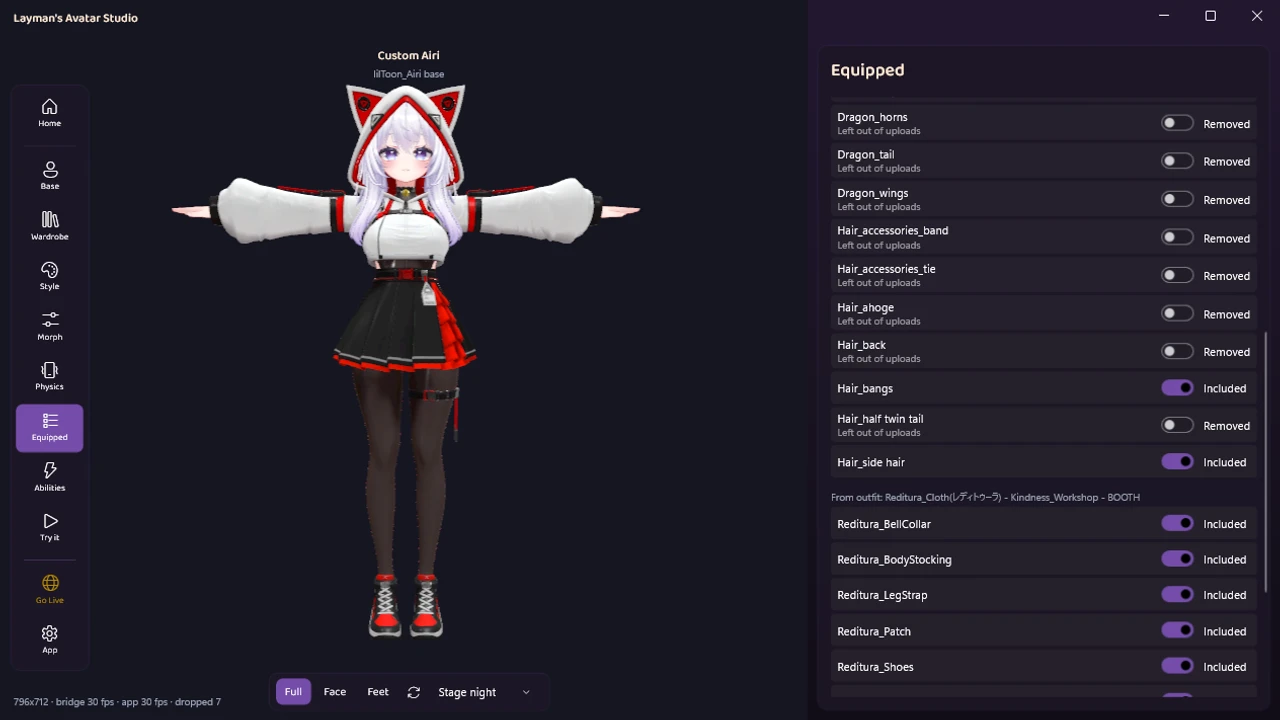
One trap is invisible until it bites: Japanese filenames inside zips. Windows tools that assume the wrong text encoding extract them as garbled nonsense, and because the package’s internal references point at the original names, things quietly break later. If you extract by hand, use a tool that handles the encoding. If you import with LAS, the import reads the archive’s encoding correctly, unpacks the nesting, and sorts what you bought into your avatar’s Wardrobe, with the shop attribution kept visible down to the individual part:
Reading the license without reading Japanese
The license file (利用規約, terms of use) is the one document machine translation is not good enough for rights decisions on, so here is the vocabulary that covers most real cases:
- 改変可 / 改変OK: modification allowed. The permission that makes customization legitimate, and the norm for avatar products. 改変不可 means hands off.
- 再配布不可: no redistribution. Near-universal, and it includes your modified versions. You may customize your copy, you may not give the files to anyone else, edited or not. A friend who wants the outfit buys the outfit.
- 商用利用 / commercial use: streaming and VTuber use often get their own clauses, sometimes allowed freely, sometimes with conditions. If you plan to earn money as your avatar, read this part properly.
- パーツ取り: harvesting parts from one product to use elsewhere. Some creators forbid it, some allow it within the same buyer’s avatars. Do not assume.
- Many creators use standardized license formats (VN3 licenses are common), which conveniently ship in English too.
Honest rule of thumb: personal VRChat use of a normally-licensed avatar product, customized for yourself, is what these licenses are written to allow. When your plans go beyond that, and machine translation leaves any doubt, message the creator politely and briefly. Simple English usually works, simple Japanese works better, and creators answer these questions all the time.
Budgets, free avatars, and sales
Live numbers from the category pages as of this writing: full avatar bases cluster around 3,000 to 6,500 yen, roughly $20 to $45, with popular well-supported bases mostly at the top of that band. Outfits generally run below their bases. It adds up gently: a base plus two or three outfits lands well under what a single commissioned avatar costs, and the parts stay yours to keep remixing.
Free avatars genuinely exist too, including good ones creators release as portfolio pieces or community gifts, and they filter cleanly in search. A free base is a perfect way to learn the whole pipeline before spending anything. Creators also run sales around events, and following shops you like on Booth surfaces their announcements and new releases.
You bought it: now what?
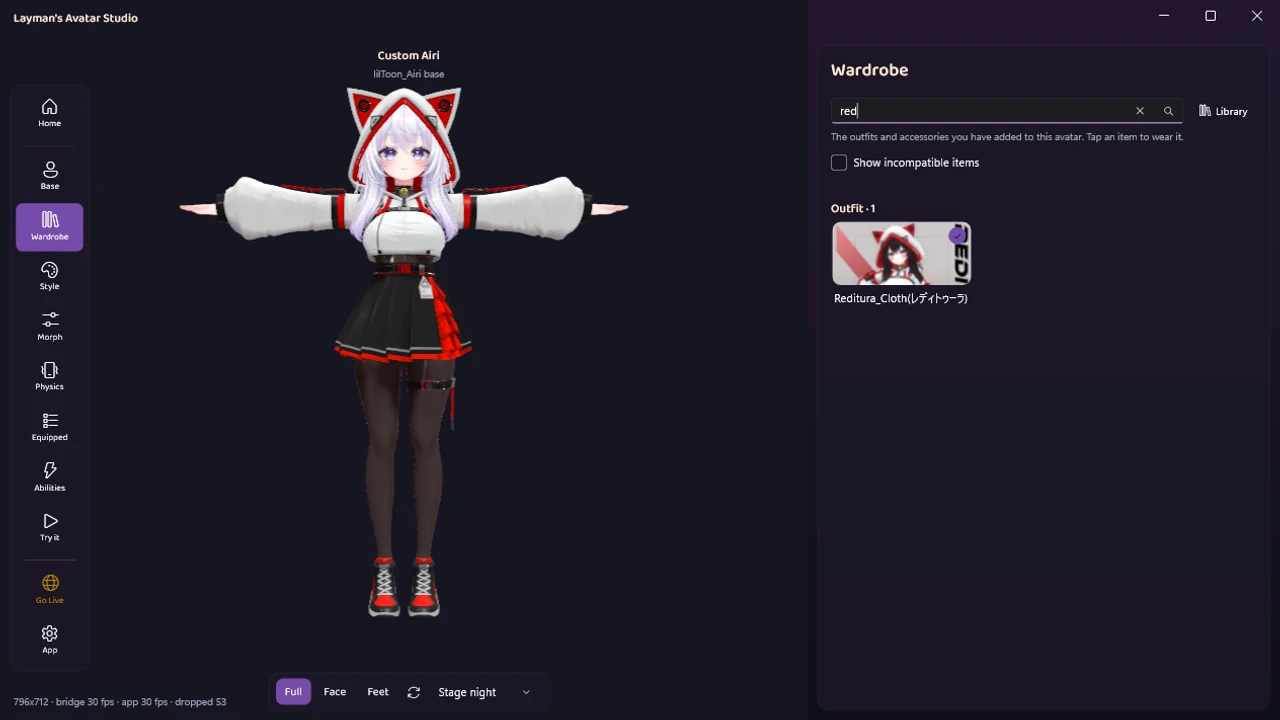
The files on your disk are raw materials, and turning them into your avatar in VRChat is its own journey with two honest routes. The traditional one runs through Unity: project setup, imports, tooling, and upload, all learnable, all mapped here. The other one is the reason LAS exists: import the purchase, click the outfit, check it live, upload, with the technical setup handled for you. Whichever you choose, the buying habits in this guide are the part that cannot be automated: the right files, for the right base, with the right license.
Quick answers
Can I get a refund if I buy the wrong thing? Generally no. Digital goods on Booth are effectively final sale, which is why the checklist above front-loads the checking. If a product is genuinely broken or not as described, contact the creator first, politely.
Do sellers speak English? Assume Japanese first. Short, polite, simply-worded messages get answered surprisingly often, and machine translation on your side plus simple phrasing on theirs covers most support questions.
Is Booth safe to buy from? It is run by pixiv, an established company, with standard payment processing. The usual online-shopping sense applies, and the marketplace itself is as legitimate as it gets in this scene.
Can I gift an avatar to a friend? Booth has a built-in gift option on listings (look for the gift button). What you cannot do is buy it yourself and send them the files, because that is redistribution, which the license forbids.
Do I need a PC to buy? No, the store works fine from a phone, and your purchases wait in your library. You will need a Windows PC eventually to get the avatar into VRChat, whichever route you take.
The zip asks for a password. Where is it? Usually in the purchase email or the listing description. Creators occasionally password their archives, and the answer is always somewhere in what they already sent you.
Go get your avatar
Booth rewards exactly the kind of buyer this guide just made you: one who checks the base compatibility, reads the license, and pays the creator properly. The buying part was never the hard part, it was just the un-translated part.
And once the files are yours, the technical part is the bit LAS was built to erase. It is available now: download it free, see what the free plan covers, and if you find a base you love, come show it off in the Discord.