
Halloween is the week VRChat shows up in costume: witches, vampires, mummies, little devils, and a lot of black cats. If you want your avatar in on it, the work is smaller than it looks. You need a costume made for your avatar’s base, a few clicks to put it on, and one upload.
This guide walks through all of it with a real example, Shinano in a black-cat kimono, from finding the outfit on Booth to uploading it from Layman’s Avatar Studio (LAS). Outfits for Halloween keep arriving all October, and the whole job fits in one evening, so there is still time.
What you need
Three things:
- A base you own. A base is the avatar model everything else attaches to, like Shinano, Manuka or Rusk. You buy it once on Booth and keep it. If you have been wearing a public copy of a base you like, that is a fine way to wear it, and also the best way to find out you like it. The one thing a public copy can’t do is change: it wears whatever its uploader put on it. Your own copy is what lets you pick the costume. Our guide to buying avatars on Booth covers choosing one and reading the license.
- A Halloween outfit made for that base. Outfits are cut for a specific body, and the product page lists which ones it fits.
- A Windows PC. If you have never touched Unity, that is fine: LAS sets up and runs the Unity side for you. Our guide to making a VRChat avatar without Unity explains what that means.
Finding a Halloween outfit on Booth
Most Halloween outfits for VRChat bases are on Booth, and most of their pages are in Japanese. Searching in Japanese finds far more:
- ハロウィン (Halloween), and Booth’s ハロウィン改変 tag
- 魔女 (witch), 小悪魔 (little devil), ヴァンパイア or 吸血鬼 (vampire), ミイラ (mummy), シスター (nun)
- ゴシック (gothic) and 黒猫 (black cat), for looks that work past October too
Add your base’s name in Japanese, the way it appears on its own Booth page (しなの for Shinano, マヌカ for Manuka, ラスク for Rusk), and sort by popularity. Then check three things on each listing before you buy:
- The supported avatars list. Your base has to be on it. Many outfits sell one version per base plus a full pack with every version.
- What is in the download. Some outfits ship their materials (what gives each surface its colors) as a separate material pack. Download every file the page lists for your base.
- Extras. Halloween outfits often come with a hat, a broom or a magic circle you can turn on and off in game. Those menus come with the outfit, set up by its creator.
Our example: a black-cat kimono on Shinano
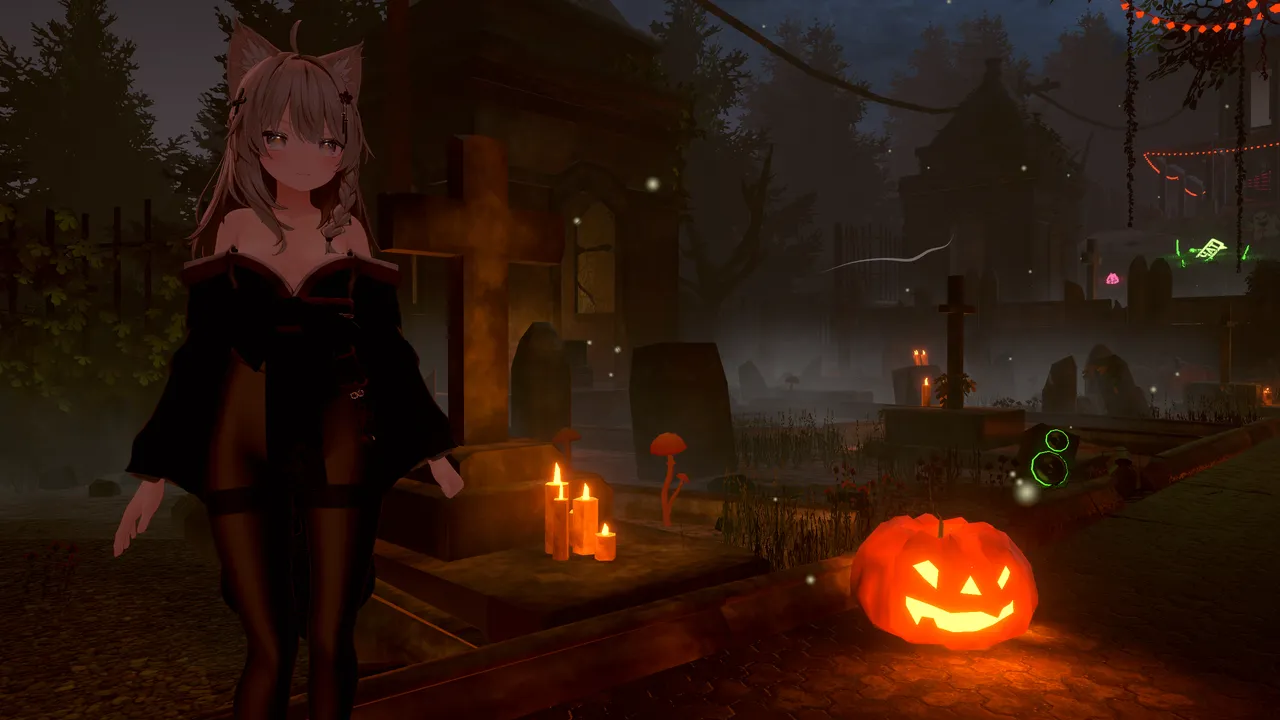
For this guide we used 【17アバター対応】Akatsuki ito by くろねこ (kuroneko) on Shinano. It is a kimono with a black-cat theme, sold per base (890 yen for one base’s version, or 1,780 yen for the full pack, when we checked), with its material pack as a second download. It ships in five colorways, and the black and red one reads as Halloween straight away. It is not a Halloween product, which is the point: anything dark, gothic or costume-like you already own can be your Halloween look.
Putting it on, step by step
Here is the whole flow in LAS, with real captures from our walk.
1. Bring both downloads into LAS
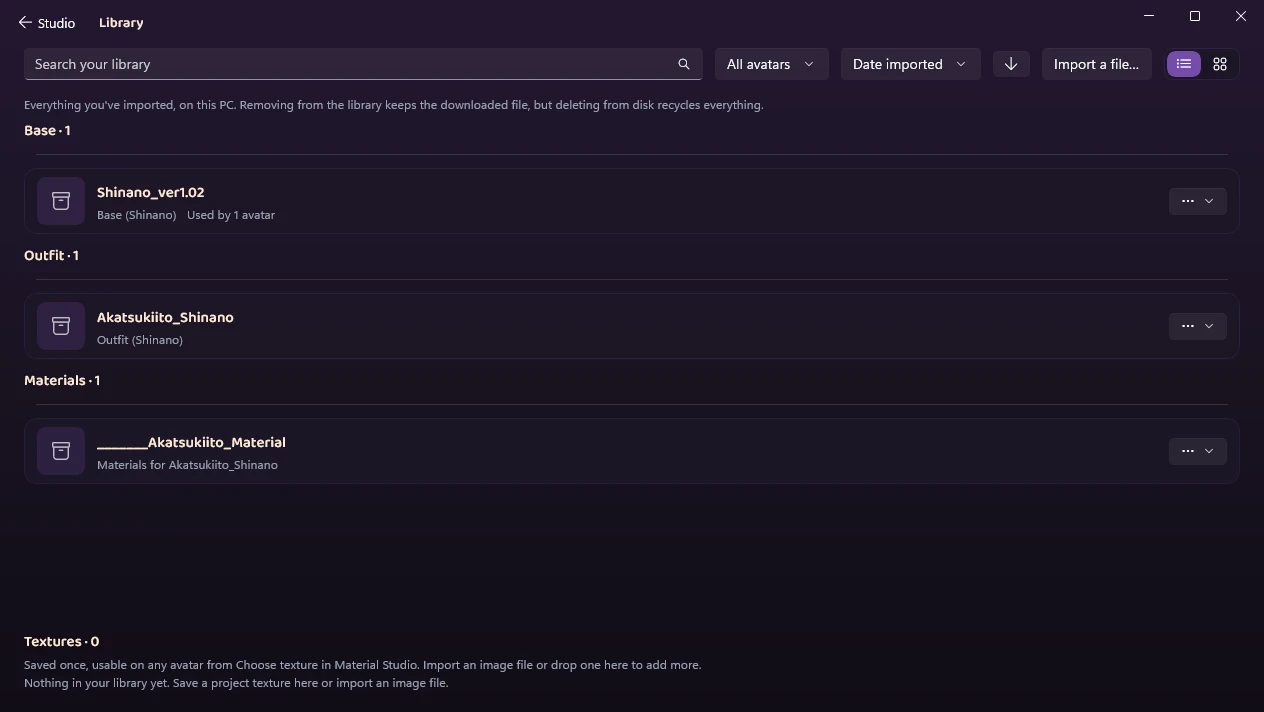
Open the Library and press Import a file…, or drop the zips onto the window. LAS unpacks them (Japanese file names included), works out what each one is, and files the base under its own name and the outfit as clothing for that base. Import the outfit and its material pack together: LAS recognizes the material pack, files it under Materials, and pairs it with the outfit it belongs to.
If you already have an avatar project for this base, skip step 2: the outfit lands in the same Wardrobe.
2. Set your base
On the Base rail, press Set as base on Shinano. The first time, Unity starts in the background and opens the avatar, so this takes a few minutes. After that the avatar is live in the viewport.
3. Click the outfit to wear it
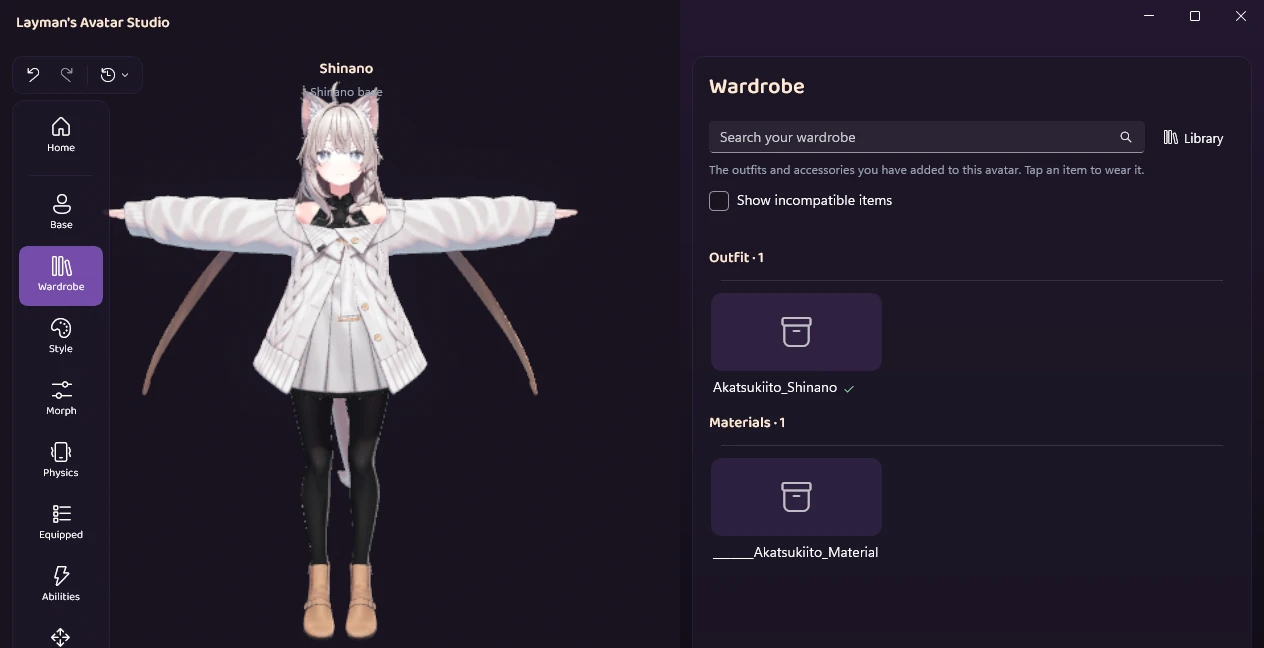
Open the Wardrobe and click the outfit’s card. The material pack sits under it with its own card: there is nothing to do with that one.
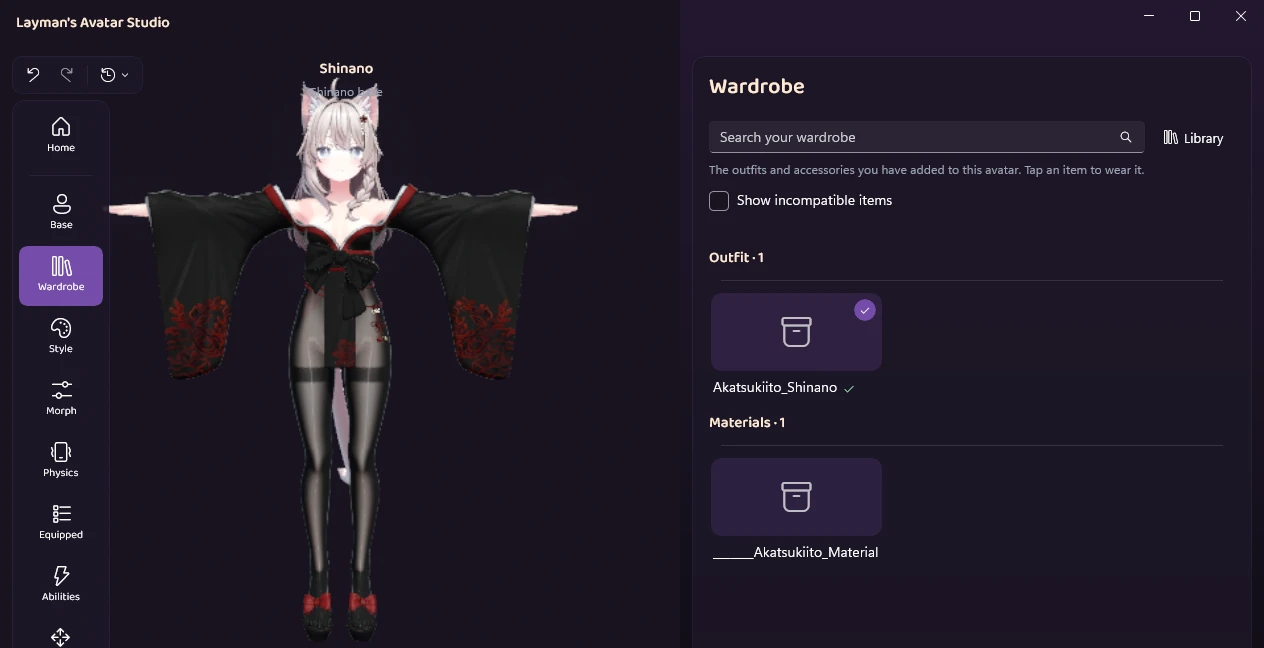
Akatsuki ito ships each of its five colorways as its own piece, so LAS asks which one to wear, with its suggestion already checked. The suggestion here, AK_Shinano, is the black and red one.
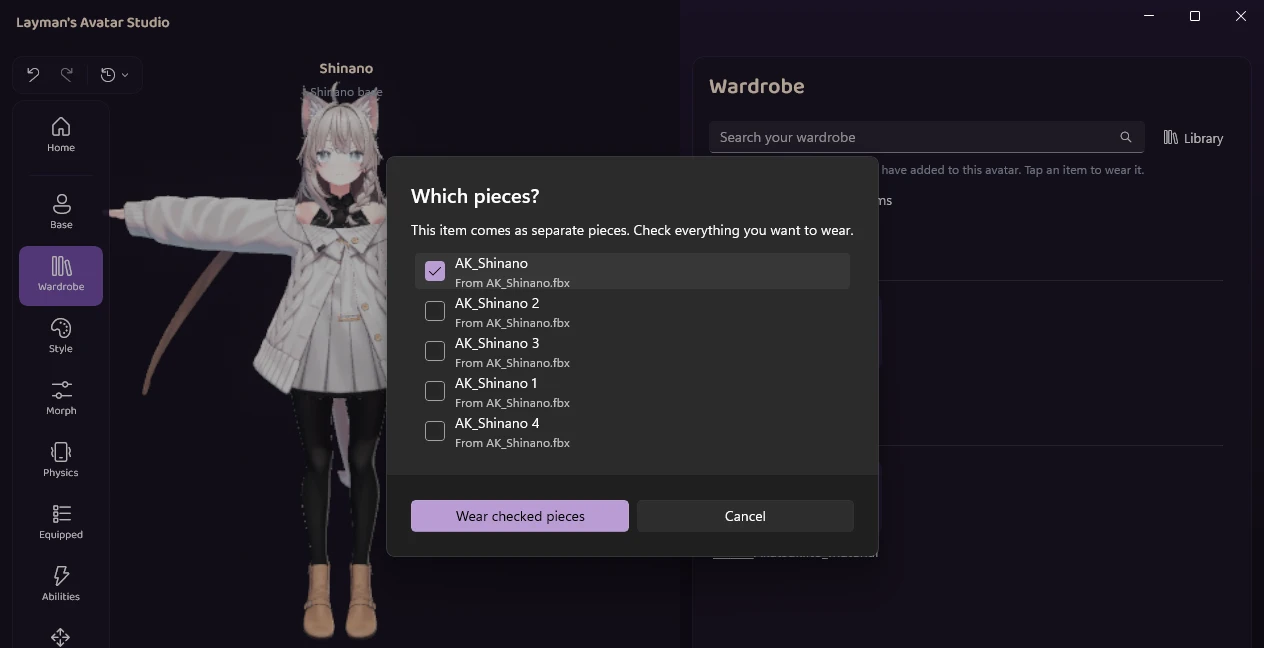
Press Wear checked pieces. A moment later the avatar is wearing it, with the outfit’s bones attached to the body the way its creator set it up. Nothing you bought is changed: clicking the card again takes the outfit off.
At this point the kimono is on top of Shinano’s own cardigan, skirt and boots, and the two sets of clothes poke through each other. That is expected, and the next step fixes it.
4. Take off what does not belong
Wearing an outfit leaves the base’s own clothes on, so you can mix pieces. For a full costume you want them off. Open Equipped and switch the base’s clothing parts to Removed (for Shinano: the boots, dress, skirt, sweater and tights). Removed parts are hidden and left out of the upload, and you can switch them back any time.
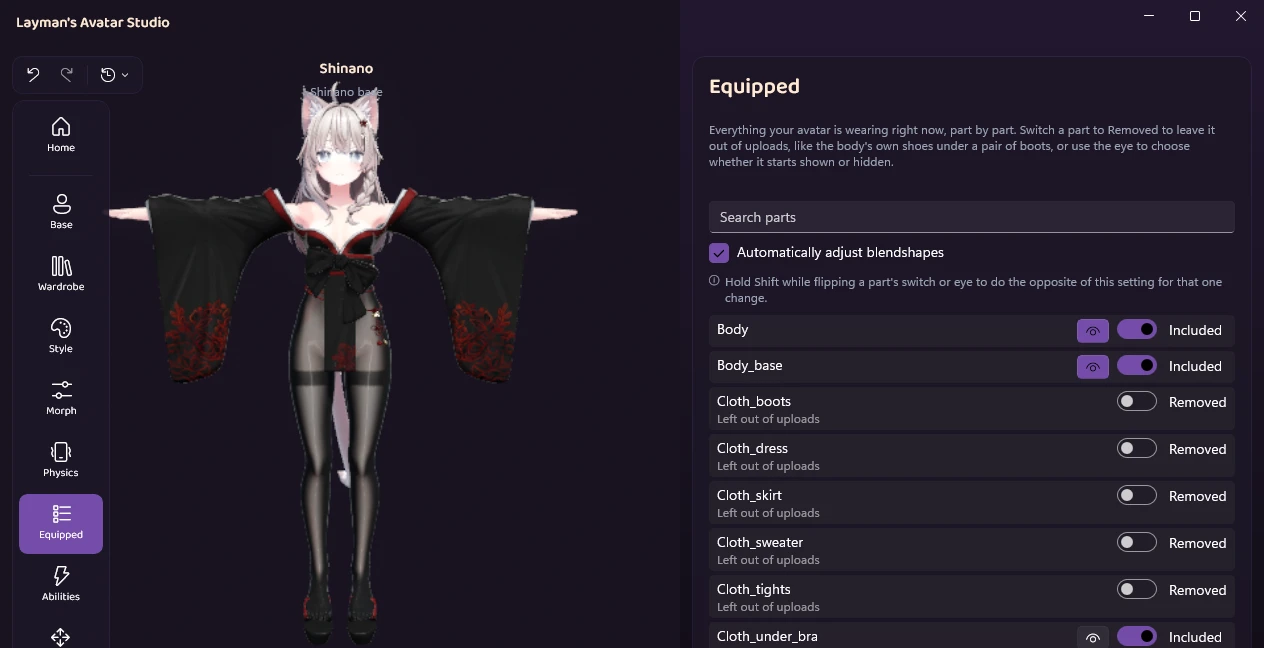
Back in the Wardrobe, the costume is on its own:
5. See it at night
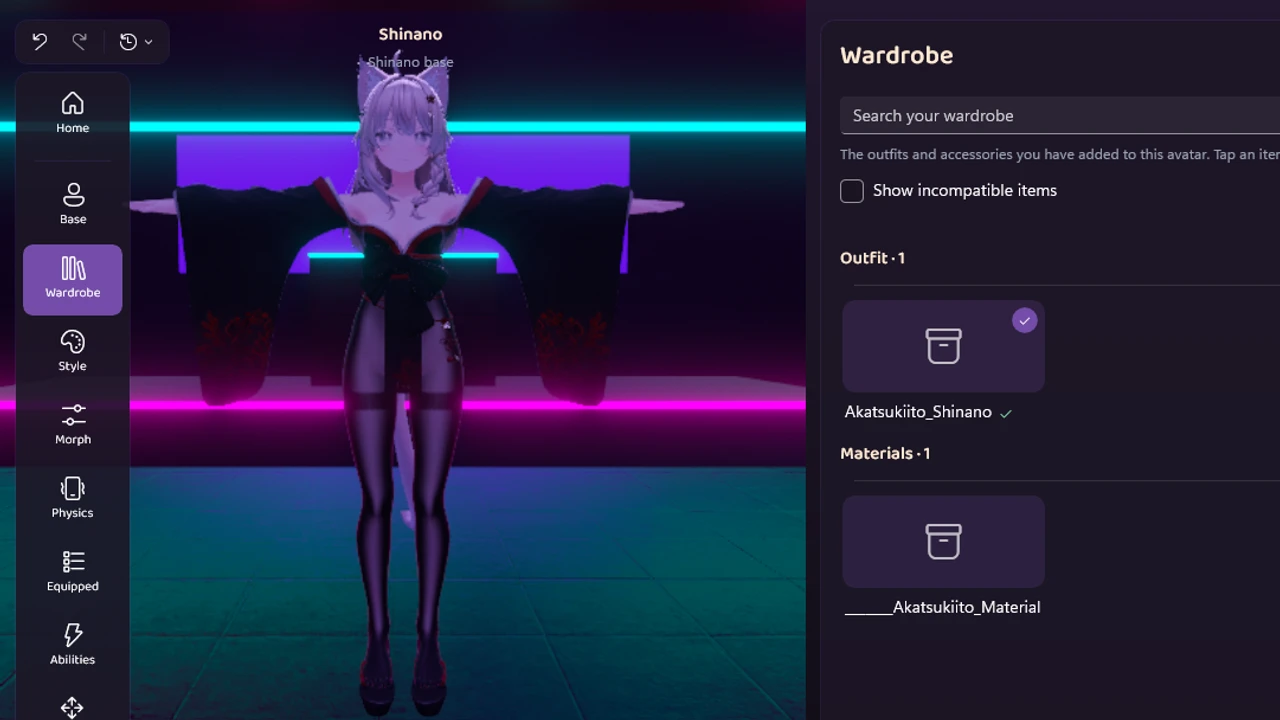
Most Halloween events happen in dark, colorful worlds. The lighting button under the viewport switches the preview between presets, so you can see the costume under Club lights.
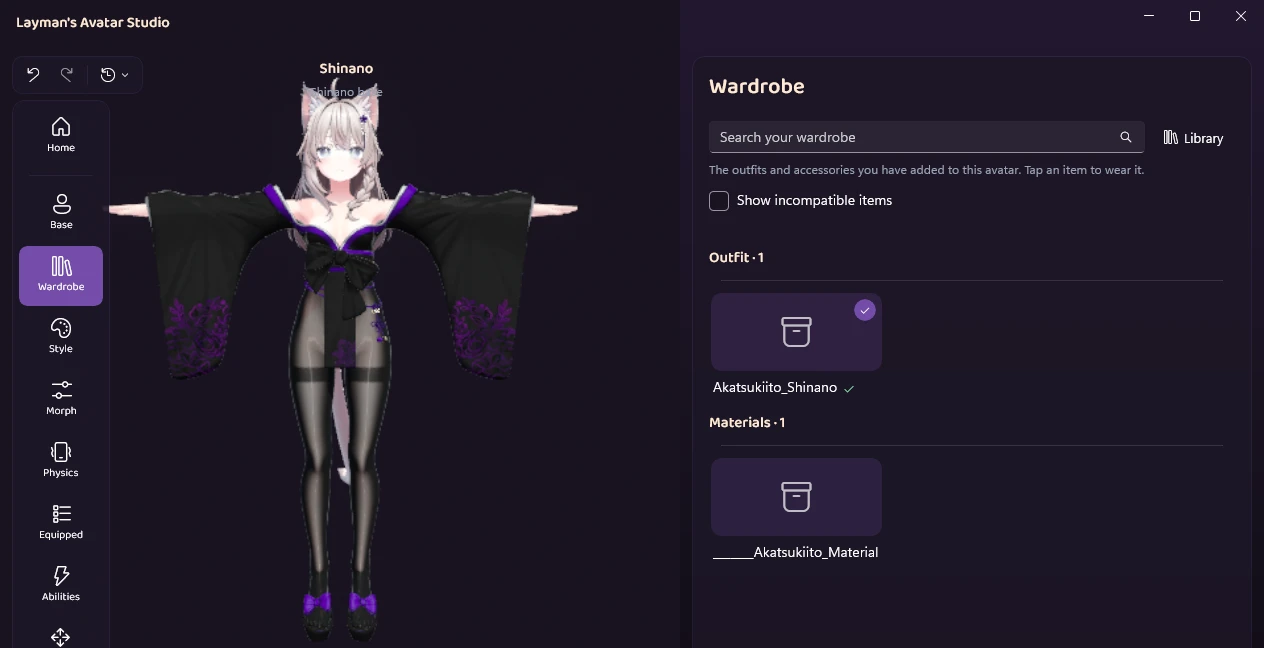
Prefer black and purple? Click the card to take the outfit off, click it again, and check AK_Shinano 1 instead. The parts you switched to Removed stay removed.
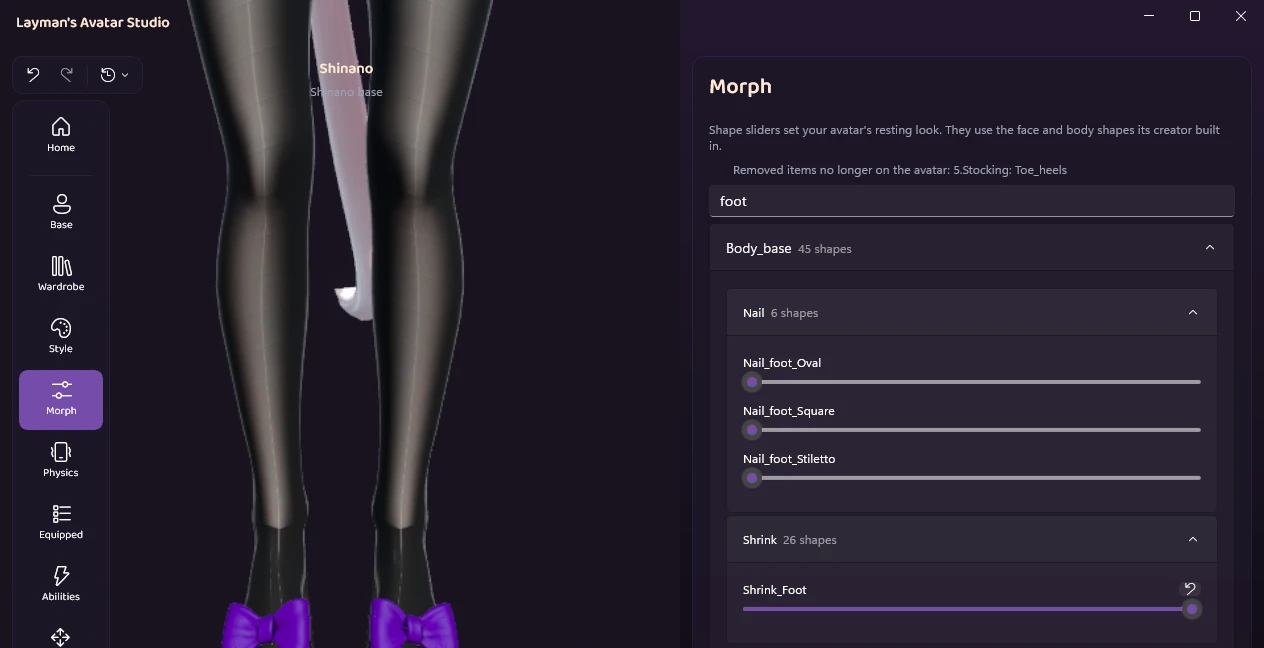
When we swapped to the purple one, Shinano’s toes poked through the stockings. Shinano comes with a shape for exactly this. Open Morph, type “foot” in the search box, and slide Shrink_Foot (under Body_base) all the way up. The feet tuck in under the stockings and sandals, and the setting stays when you swap colorways again.
Want orange for a pumpkin look, or any color the creator didn’t ship? You can recolor any part of the outfit with a color wheel in Style.
6. Check it moves
Open Try it and press Test avatar. It runs the avatar live, with its menus, gestures and physics, so you can see the sleeves swing and test the outfit’s toggles before uploading. Our guide to testing a VRChat avatar without uploading covers what a test shows.
7. Upload
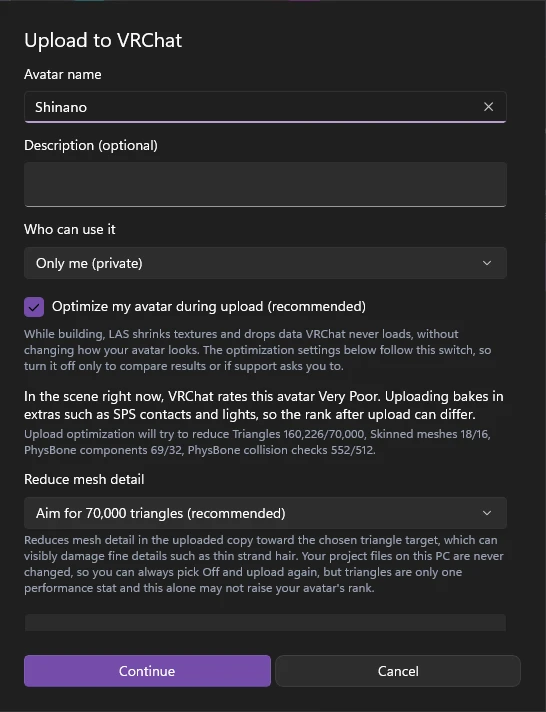
On Go Live, press Upload to VRChat. The first step shows the avatar’s name, who can use it (Only me (private) to start with), and the performance rank, with Optimize my avatar during upload already on. The upload goes through the official VRChat SDK from your own account. Keep it on Only me: many outfit licenses forbid uploading a public avatar that wears them, and this one does (its VN3 terms rule out public avatars).
When it finishes, the window says so and gives the avatar’s ID. In VRChat it shows up under Avatars, in Personal, after a minute or two. Our upload of Shinano in the kimono finished with “Optimization moved the performance rank from Very Poor to Poor.”
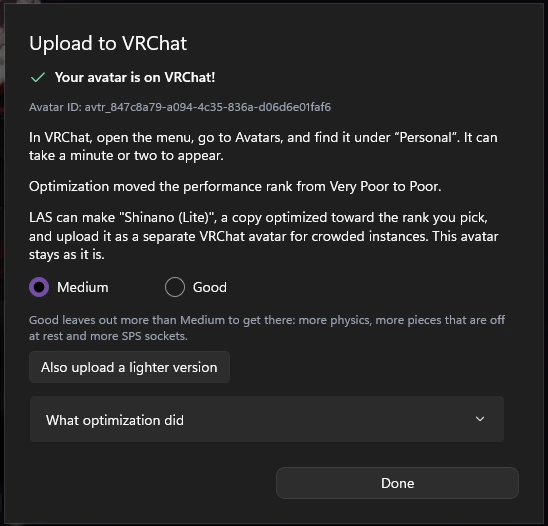
The same window offers Also upload a lighter version: a separate copy aimed at Medium or Good for crowded instances, while this avatar stays as it is.
Halloween only, or all year?
Two good ways to keep a costume:
- As a toggle on your everyday avatar. In Abilities, make a toggle that shows the outfit, so you can switch into the costume from the action menu mid-event. The toggle section of our outfit guide explains the trade-offs.
- As its own upload. Upload the costume once, then put the everyday look back and upload again. You keep both avatars and switch between them in VRChat.
Either way the change is easy to reverse: click the outfit’s card to take it off, and switch the base’s own clothes back to Included.
If something looks off
The outfit is pink. Pink is Unity’s way of saying it can’t find what a surface is made of. Usually the outfit’s material pack is still in your downloads: import it too, and the outfit picks up its colors. LAS also installs or converts the shaders it recognizes when it imports an outfit, so if the material pack is in and the outfit is still pink, tell us the outfit’s name in our Discord.
The body pokes through the costume. Bodies and outfits overlap, so creators include settings that pull the body in under the clothes. Most outfits handle this themselves. When a spot still shows, the Morph panel has the base’s body shapes.
LAS says the outfit was made for a different base. The outfit was cut for another body. Check that the version you downloaded is the one for your base: many listings put every base’s version on the same page.
The outfit floats or stays behind. Our guide to an outfit that does not follow the body covers every case.
Quick answers
Can I put a Halloween outfit on a public avatar? Not on the copy itself. A public avatar is someone else’s upload, and only they can change it. If you like the base, buying your own copy is how you get to dress it.
How much does this cost? The base, once, and the outfit. The Halloween outfits for Shinano we looked at on Booth ran from about 700 to 2,800 yen for one base’s version. LAS has a Free plan, and the pricing section shows what each plan adds.
Is it too late for this year? If the outfit is in your downloads by the day before the event, no. The steps above fit in an evening. The longest wait is the first Unity start (a few minutes).
Will the costume make my avatar Very Poor? It may be in the scene, and optimization can still lift it a rank. Our Shinano in the kimono read Very Poor in the scene: 160,226 triangles where Poor allows 70,000, 18 skinned meshes, 69 PhysBone components and 552 collision checks. The upload window said “Upload optimization will try to reduce Triangles 160,226/70,000, Skinned meshes 18/16, PhysBone components 69/32, PhysBone collision checks 552/512”. In our upload it moved the rank from Very Poor to Poor, and it changes only the uploaded copy, never your project files. Results vary by outfit, so another costume may stay Very Poor. Getting out of Very Poor matters, because some players’ safety settings hide Very Poor avatars and show a fallback instead of your costume. Our guide to fixing a Very Poor avatar covers what the rank means.
The upload failed. Now what? The upload window says why in plain words. Our guide to VRChat avatar upload errors explains the common ones.
Get it done this week
LAS is out in Early Access with a Free plan. Download it, bring in your base and your costume, and have it uploaded tonight. If you want to see everything else it does first, the VRChat avatar editor overview walks through it.
Show us your costume, or ask about a tricky outfit, in the Discord.